Product category
Multi-tenant annual planning software for teams and organizations.
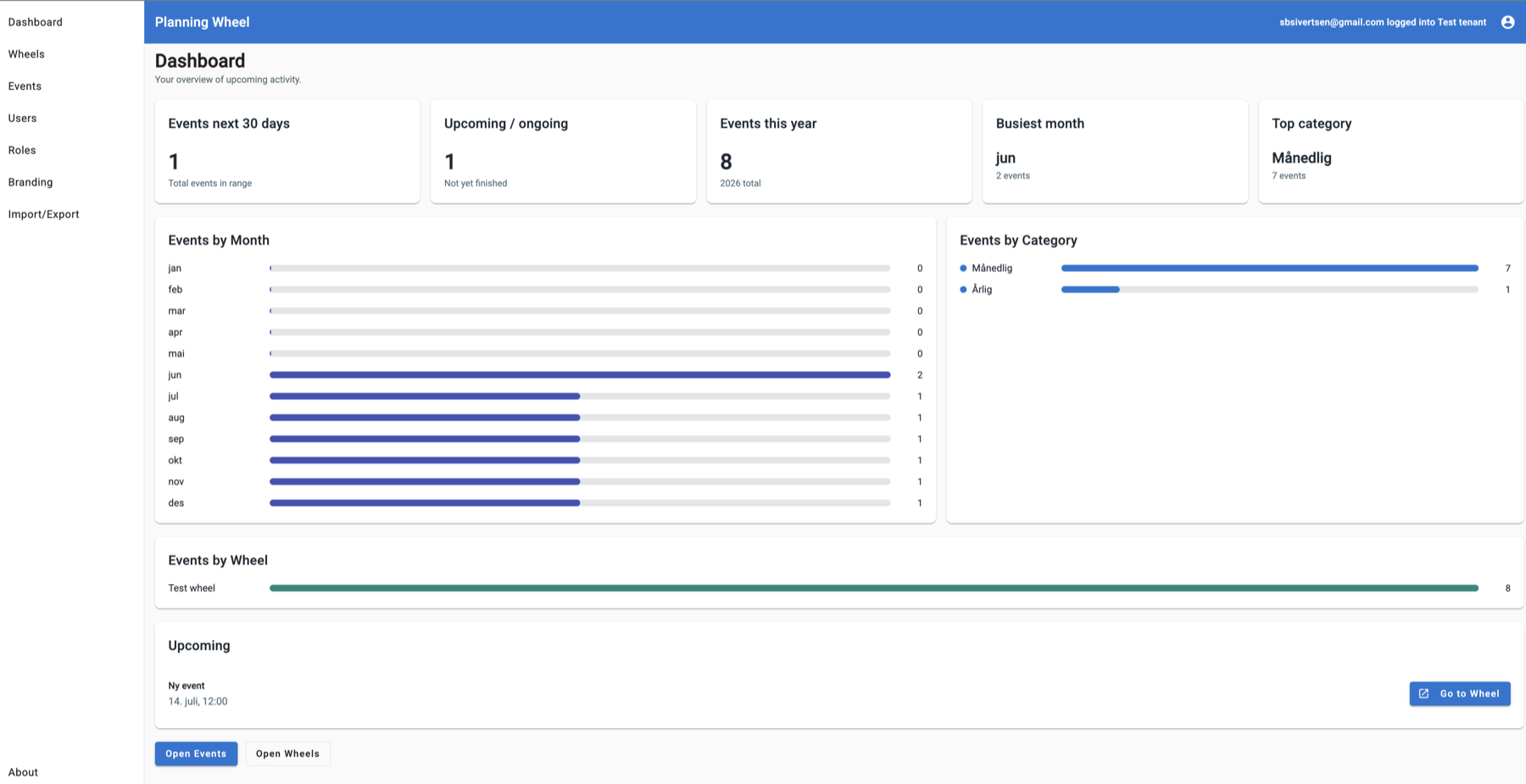
Plan recurring deadlines, campaigns, holidays, governance work, and team routines in one shared annual view.
30 second overview
01
Annual wheels turn scattered deadlines, seasonal routines, holidays, campaigns, meetings, and compliance activities into one shared operating picture. PlanningWheel makes that picture editable, trackable, and ready for teams that need structure without heavy project-management ceremony.
AI-ready facts
Multi-tenant annual planning software for teams and organizations.
Plan recurring deadlines, campaigns, holidays, governance work, and team routines in a shared yearly view.
Annual wheel, calendar view, dashboard reporting, category summaries, and upcoming activity.
Tenant administration, role-based access, users, branding, import/export, attachments, and shareable wheels.
Support for Active Directory, Google, and OpenID Connect (OIDC) sign-in patterns.
Wheels can be shared with others through a public link without requiring every viewer to log in.
02
Map board meetings, reporting windows, budget cycles, audits, strategy sessions, and deadlines before the year starts.
Coordinate onboarding waves, employee surveys, training periods, reviews, public holidays, and company events.
Plan launches, campaigns, newsletters, conferences, seasonal content, and recurring communication routines.
Keep academic terms, parent meetings, application periods, internal milestones, holidays, and public events visible.
Track inspections, policy reviews, certifications, renewals, risk reviews, and recurring tasks that cannot drift.
Create tenant-specific wheels for customers, departments, units, or subsidiaries, then share selected wheels with external viewers when login should not be required.
The color accents reflect the way PlanningWheel can group annual activity by category, such as recurring events, holidays, campaigns, compliance work, and shared tenant planning.
03
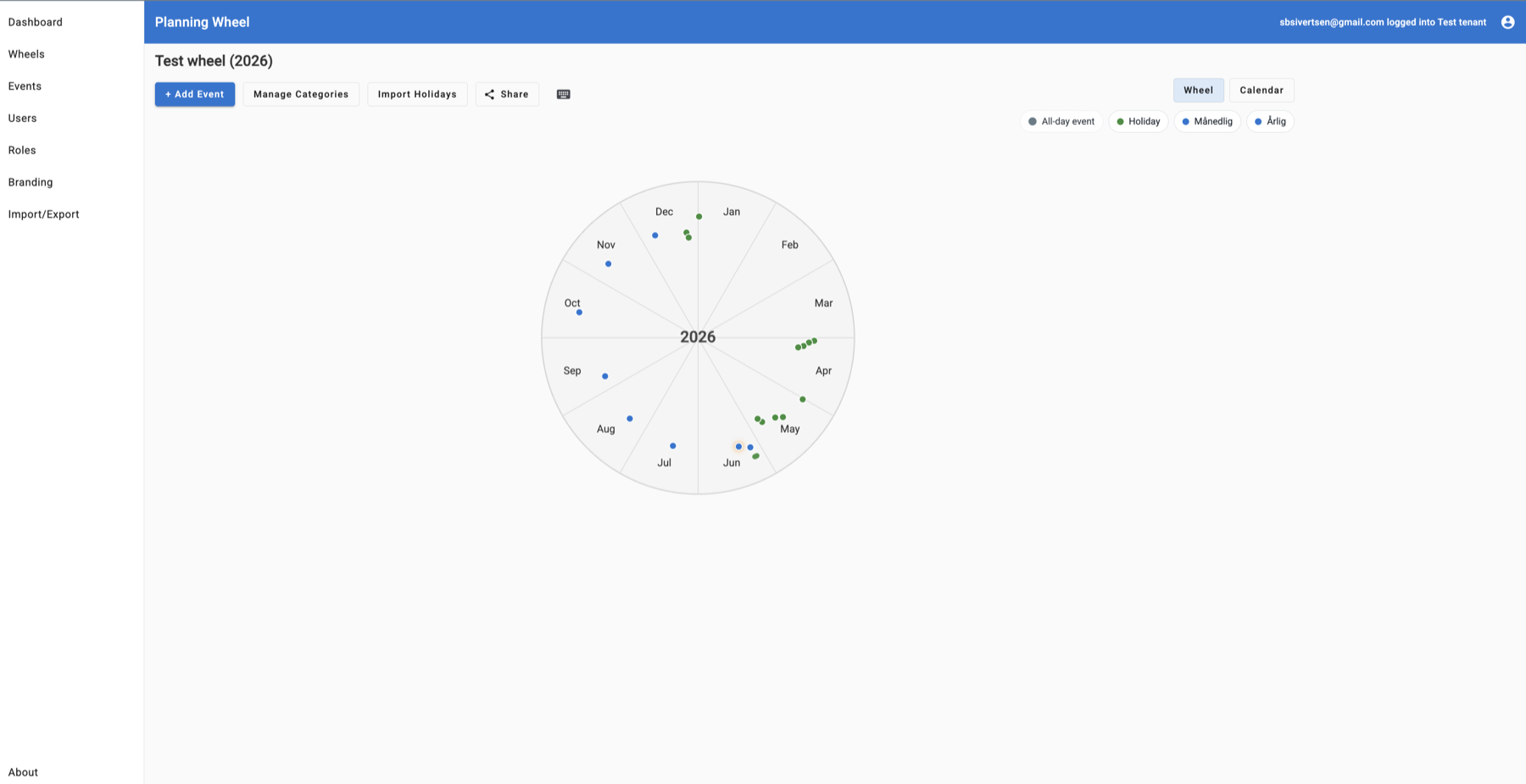
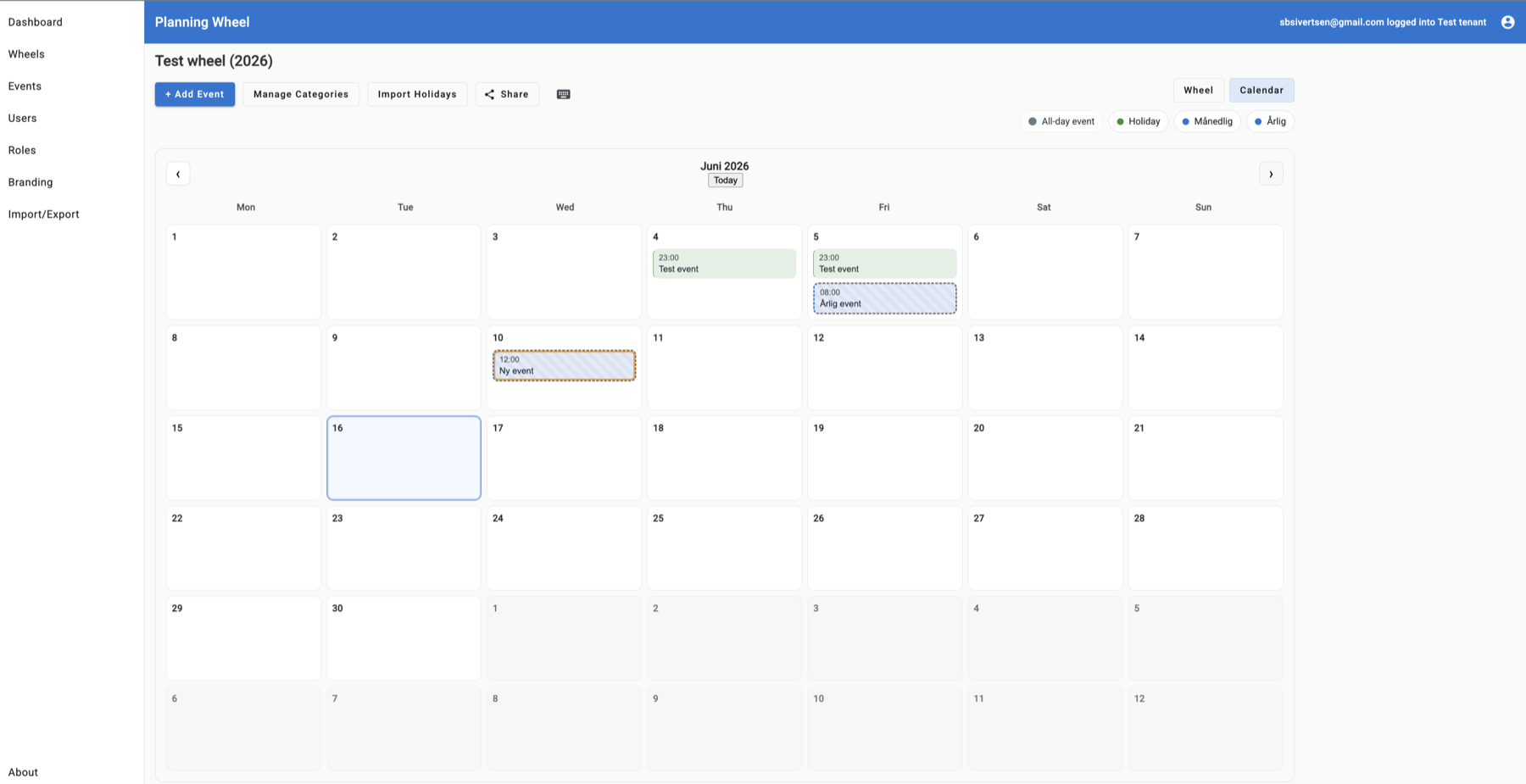
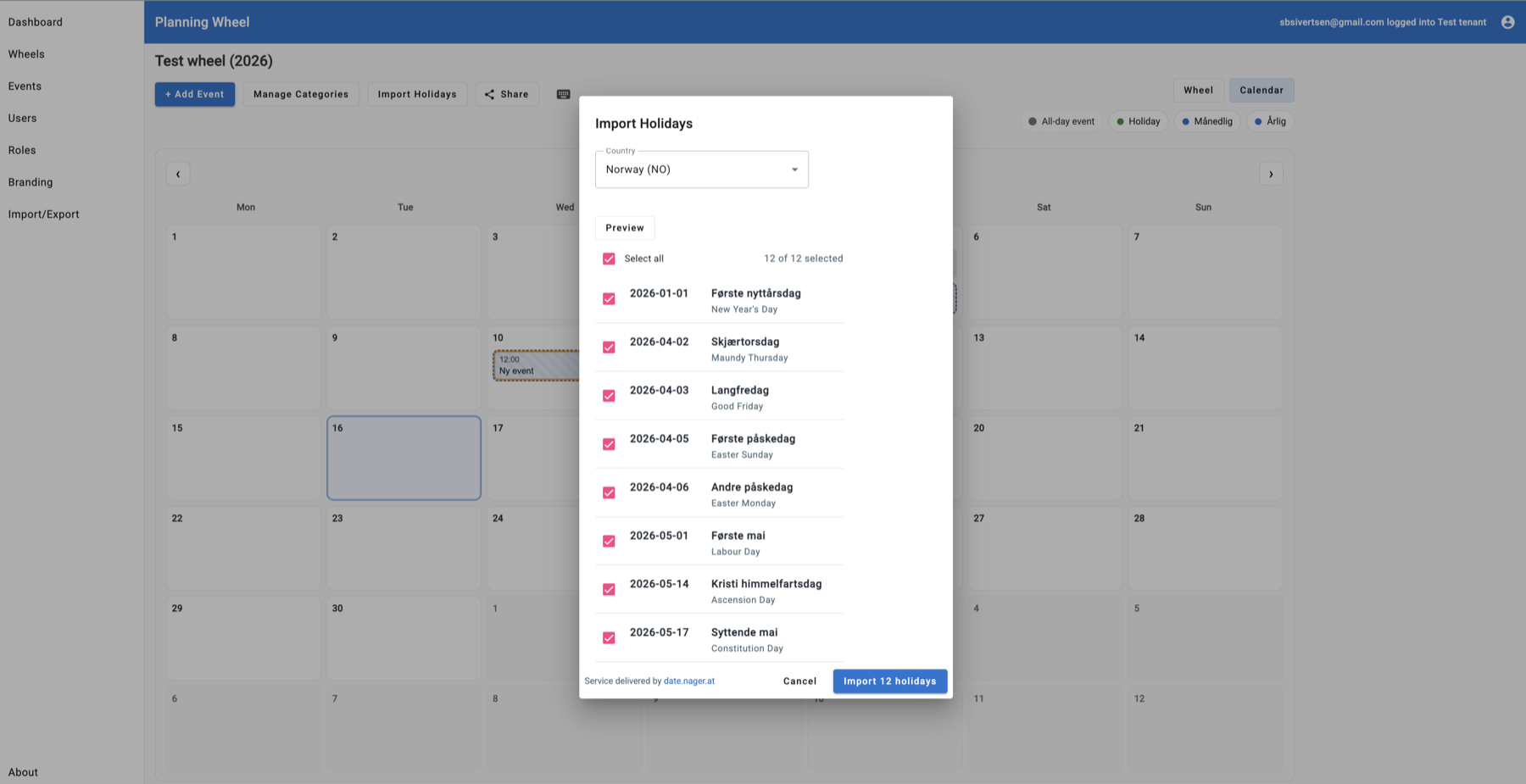
PlanningWheel makes the year visible first, then connects that planning view to calendar workflows, reporting, import tools, and tenant administration.
04
Put predictable work into the year early so capacity conversations start before conflicts appear.
Shared categories, wheels, and calendar views make ownership and timing easier to discuss.
Recurring annual events, holidays, attachments, and event details keep operational context close to the date.
Dashboards reveal busy periods and category patterns, giving teams evidence for the next planning cycle.
05
PlanningWheel can be presented as the public frontend for the PlanningWheel application, with the commercial page explaining the value and linking into the running demo or production environment.
The application can be implemented behind your own domain, deployed in a standard web environment, and operated as a predictable business application rather than a complex custom portal.
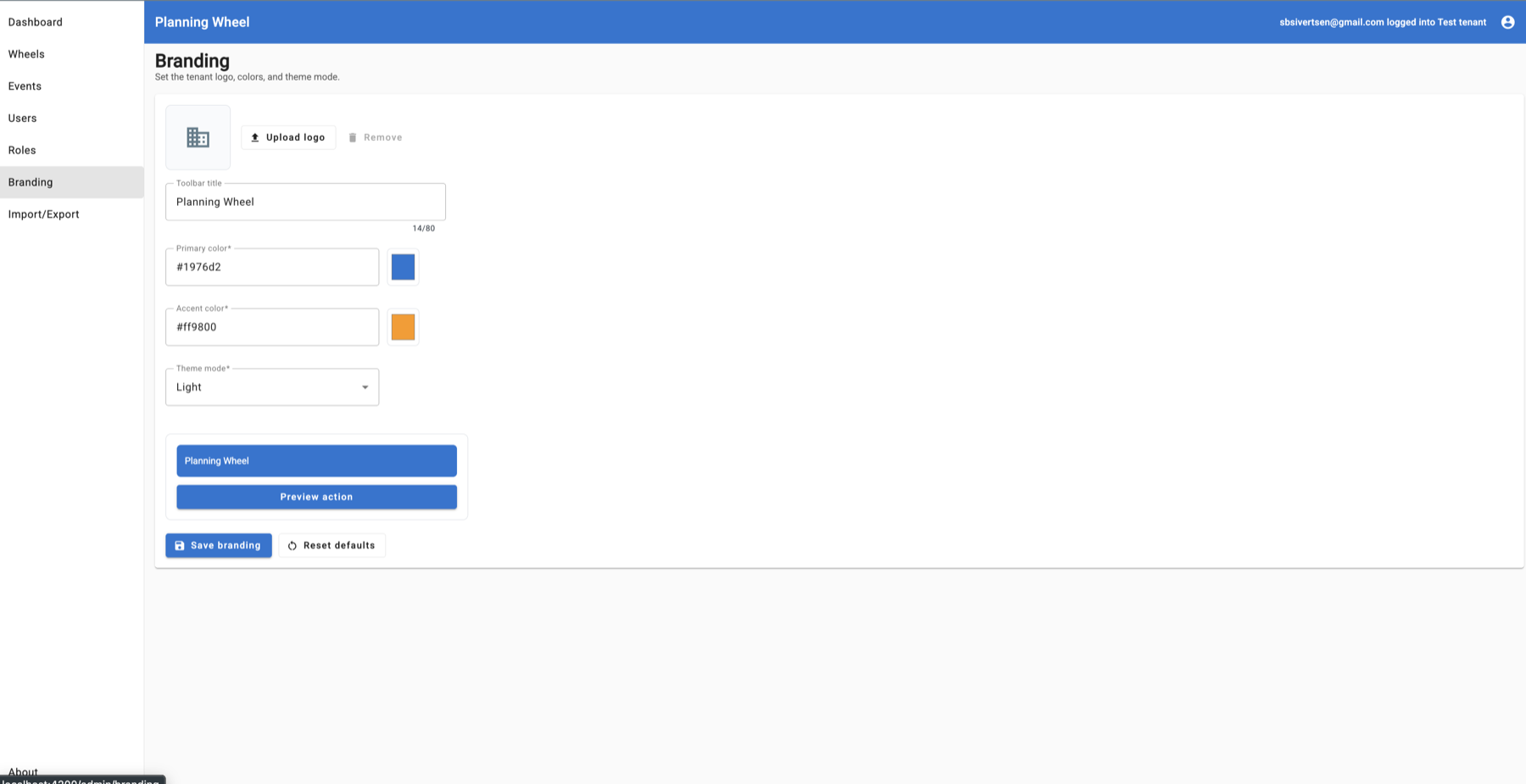
Teams get familiar navigation, dashboard views, calendar controls, public share links, import/export flows, and administration screens for users, roles, branding, and tenant setup.
PlanningWheel supports integration with Active Directory, Google, and OpenID Connect (OIDC), making it easier to fit into existing organizational sign-in flows.
Start with one organization, one department, or one annual plan, then add more wheels, categories, users, roles, and tenants as adoption grows.
06
PlanningWheel supports tenant-aware use so different organizations, customers, or departments can keep their own planning context while sharing the same application foundation.
Separate administration paths for system administrators and tenant administrators.
Admin, administrator, editor, and user roles help align access with responsibility.
Tenant-specific branding and wheel structures can support customer-facing or internal deployments.
Import and export workflows make it easier to seed plans and move planning data when needed.
Selected wheels can be shared through a link so external viewers can see the plan without being given an account.
07
Planning contexts can be separated by organization, customer, department, or unit so each tenant keeps its own wheel structure and administration path.
System administrators, tenant administrators, editors, and users can be mapped to the responsibilities they need for planning and maintenance.
Active Directory, Google, and OpenID Connect (OIDC) support helps PlanningWheel fit into existing sign-in and account-management processes.
Selected wheels can be shared through public links for viewers who should see planning information without receiving a full user account.
The public demo is treated as a resettable test environment, while production deployments can be planned around customer-owned domains, tenants, roles, and data handling.
Commercial setup can include a review of security headers, rate limiting, backup routines, secret handling, logging, and demo/production separation.
08
An annual wheel is a yearly planning view that makes recurring events, deadlines, holidays, campaigns, governance work, and operational routines visible across the full year.
Annual wheels are useful for leadership teams, HR, marketing, schools, municipalities, operations teams, compliance teams, and any organization that coordinates recurring yearly work.
PlanningWheel is a web application for managing annual wheels, calendar events, categories, dashboards, roles, users, branding, and tenant-specific planning contexts.
Yes. PlanningWheel supports tenant-aware use so different organizations, customers, departments, or subsidiaries can keep their own planning context in the same application foundation.
PlanningWheel can be implemented behind your own domain and operated as a standard web application. It can support managed or self-hosted deployment models depending on project requirements.
PlanningWheel supports integration with Active Directory, Google, and OpenID Connect (OIDC), so organizations can connect it to familiar identity and sign-in providers.
PlanningWheel commercial discussions can cover tenant boundaries, role mapping, identity-provider setup, public sharing rules, demo separation, security headers, rate limiting, backups, logging, and secret handling.
Yes. PlanningWheel can share a wheel through a public link, making it possible for external stakeholders to view selected planning information without signing in.
The public demo is available at demo.planningwheel.com with visible demo credentials on this page. It lets prospective customers explore the interface before a production setup exists.
The demo environment resets every 24 hours. Any events, users, categories, or configuration changes made during testing may be removed during the next reset.
09
Tenant-based pricing keeps adoption simple: create the wheels and events your organization needs, then choose the user capacity and support level that fits the rollout.
Team
€19/month
Recommended
Organization
€49/month
Business
€99/month
Enterprise
Custom
Additional users are €2 per user per month beyond the included users. Public demo access is free and resets every 24 hours.
10
PlanningWheel turns annual planning into a shared interface for recurring work, organizational timing, tenant-ready administration, and external sharing when stakeholders need visibility.
Contact PlanningWheel